
Sales
The right person gets credit for the sale.
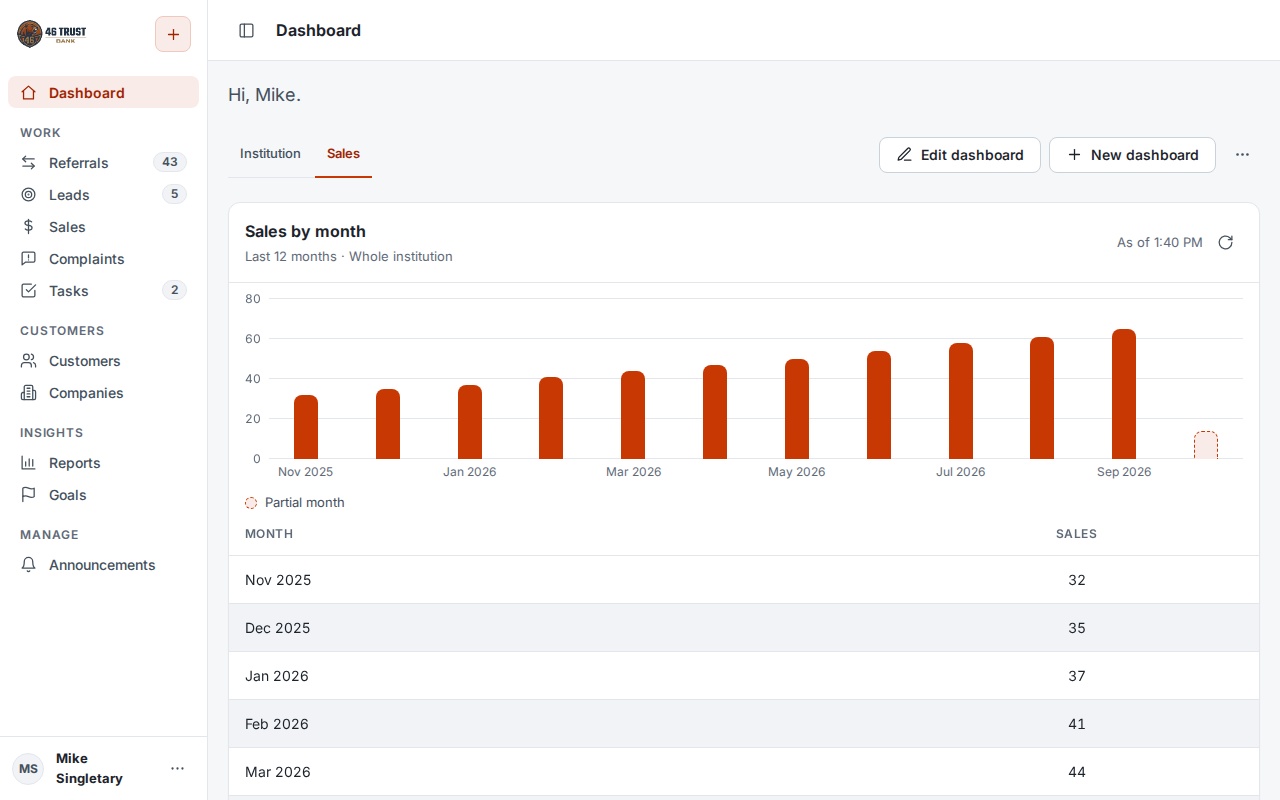
Sales come in from closed referrals, from employees entering their own, and from staff at a shared terminal. Each one counts toward the right person and branch, and managers can see results by product, branch and employee.
Quick to set upStaff training included
Straight from referrals
Close a referral as a sale and the sale is already recorded.
From a shared terminal
Staff without a login can record a sale and credit the colleague who made it.
One view of every sale
Closed referrals and sales entered directly, together in one place.
Enter a sale once.
When someone closes a referral as a sale, ProTrac records the sale and credits them and their branch. It also shows up on the customer's record with everything else.
See sales by employee, branch and product.
Each employee tracks their own numbers, and the whole team can see the institution's totals.
Reports & Dashboards →Set up around your product list.
Sales use your products and your terminology, and each sale stays tied to the customer who bought it.
Also in Sales
- Sales history on each customer's record
See ProTrac in action
We'll spend 30 minutes in 46 Trust, our demo institution, using your terminology. Bring whatever questions you have.